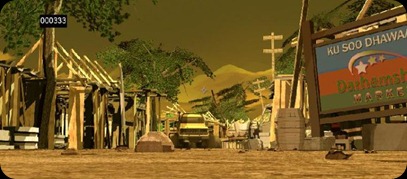
Here’s my showreel. It’s in WMV so will play in Windows Media Player which is on any Windows PC or you’ll need VLC player (or similar if your on any other Operating System).
VLC (for Mac/Linux)
Charlie
Here’s my showreel. It’s in WMV so will play in Windows Media Player which is on any Windows PC or you’ll need VLC player (or similar if your on any other Operating System).
VLC (for Mac/Linux)
Charlie
Renders are complete and the films are done. The Light Of Us' turned out really well even though most of it was changed to 2D. The last week we were worried that we wouldn’t get rendered in time as the plugin’s used on the Mac After Effect’s didn’t work properly on my 2 laptops (my old repaired one and my new one). So the final render was made without the help of my laptops and I used these to help render Moe’s film in the end.
Moe’s film came out really well, there were a few glitches in the film and while I believe the film has reached its potential, there are a few tweaks here and there which could bring the film up to festival standard. Talking to other film groups, It seems no one had a perfect film to hand in, everyone had issues with rendering and some people are still dedicated to work on the film after hand in. I know I’ll be working closely with Moe to make sure all the visual effects are perfect for the Degree show and the festivals that we’ve submitted them to.
My housemate Anja’s film 1000 cranes is a great film, Anja would be working most day and nights to get things done throughout the year, It’s a shame I had so many problems with Maya crashing her files that I couldn’t help her with the final scenes I spent countless hours even to a point of using her Mac but nothing worked. I was excited to make a great scene with her exploding city….
People in Moe's and Luisa’s team worked so hard to make our final films great and if you guys are reading this well done dudes! Thanks for your hard work and well done for making an awesome film!
I’ve had to baby all 4 render computers in the house throughout the night as some of them fail at random points and end up with a ‘frame204.iff.ng’ file. So I have to continue rendering from frame 203. This rendering should have been done on schedule yesterday but this ng thing has been happening for a while slowing us down. It’s almost done so will be fine.
The Maya programming error is an odd one.. like every other textures it’s correctly linked up but won’t render- even Maya says it’s found the textures but it won’t render it. Moe may have to render it and composite it.

Stopped rendering again, Clicking on ‘reload’ on the barrel textures fixes it for a bit before this error is shown again. Anyways, rendering is getting though as it’s still rendering frames. The other 2 computers are rendering smoke dynamics and frames are being sent to Moe.
More renders being made, and I’m sending them up to Moe via messenger as they go. The current renders are special effects to layer over the scenes.
Good, lots of frames and scenes finished last night. One failed near the end for some reasons producing a ‘frame 398.iff.ng’ file name (i’m guessing ng means no good).


here’s 2 screenshots of the smoke/fire only. The fire smoke is an modded Maya example nparticles file, the fire is made using paint effects and the smoke generate by the feet and on the floor is made using keyframes and lambert colours using the same method I used to make the tyre smoke earlier on– all in particles.

Moe is sending me the lights and camera and I’ll be rendering the explosion for this scene to cut render time and ensure the dynamics work.. they revaluate on his machine so I can’t guarantee my cached key frames will work properly if he rendered it.

Meet up with Luisa and Danny, film is going great but we need to render the scenes out. The scenes are currently set up to render on Luisa’s Mac and Danny’s Mac laptop. We tried to get it to render on my laptop but we couldn’t find a working plug-in for Windows that would allow my laptop to view the After Effects working files correctly.

Here’s a render of a scene near the start with the smoke, the transparancy can be played about by Moe as much as he needs. The render only has the grass/car/smoke textures, so thats why everything is black.
Meeting up with Luisa tomorrow to discuss how far the film is going and to see if I can speed up render time… it’s taking her ages to render scenes.
We found out that tweaking the settings on Mental Ray allowed us to get very similar (if not identical) results as the Maya Software renderer and speeds up to around 6x faster as the Mental Ray supports multi-core processors and threading much better so we’re changing over to Mental Ray. I’ve been rendering frames –60 to 350 on the render machines I’ve set up here, and Moe has rendered the rest of the frames on the scene. I’ll send him my frames and he can composite them with his ones. We’ve done checks along the way to make sure the renders are identical and they are.
Me and Moe had been working together all night and so I went into uni today to meet with Dan D and let him know how things are going and let Moe sleep in as he lives 2+ hours away! I said we we may have an issue with sound which he was already aware of- Moe told him last week. Also spoke about folders and how they should be set out- 3 folders each with another folder for each film to separate development.
Also, we were wrongly told at the start of this year that Maya 2009 would be installed on the computers by the end of the year which hasn’t happened so rendering could have been an issue as Maya 8.5 doesn’t support the more advanced nodes used in Moe’s film. Regardless, if we did know that the uni would be sticking to 8.5 we still would have continued development on 2009 as it has allowed us to feature better dynamics that would have been much harder to make on 8.5. Also 2009 has been crashing far less than 8.5 for me (for working with Moe’s film at least!).
I’ve got my old laptop and my housemate is away this week so I’ve setup a render farm on the home network so I think we’ll be fine for computers to render our work. I’m just finishing installing Maya on my housemates Dylan's computer now.

James animated the girl up to the point where she reaches the wood slab. I’ve been animating the girl from here one, in this scene she looks across and back to check the coast is clear and runs to off shot to the next scene. I want to get some good camera angles while also showcasing the scene.

Moe is currently rendering out the above scene on his computer complete with all the textures. We’ve been using a software render as the benefits over Mental Ray with the style of the film is limited at best and so doesn’t justify the huge impact on render time Mental Ray has- Maya software renderer gives us a better style to what we’re looking for too. However, while the smoke is fine in any render the particles need to be on mental ray (it’s a Maya limitation). The particles would have to be rendered on it’s own and composited into the scene by Moe or the whole scene would need to be done in mental ray… it’s slow but the two renders export very similar results… compositing it will have to be.


Moe wants me to animate some blood flowing in from the camera. He’s sent me these screenshots to let me know where the blood comes from and where it ends up as a puddle… the flat plane shows me in the above images. He suggested using blendshapes but I’m thinking we can do something better and less old skool. I’ll have a go with particles effects with an attached fluid simulator.